Enrutador WiFi ilimitado - Recogida en el aeropuerto de Haneda (Tokio)
Descripción
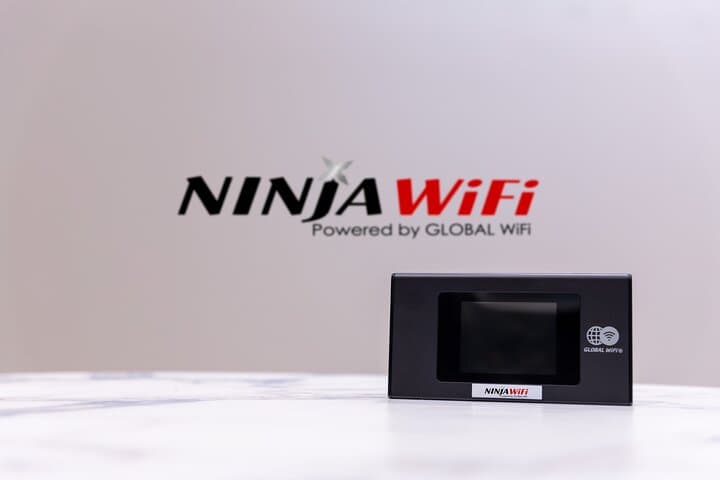
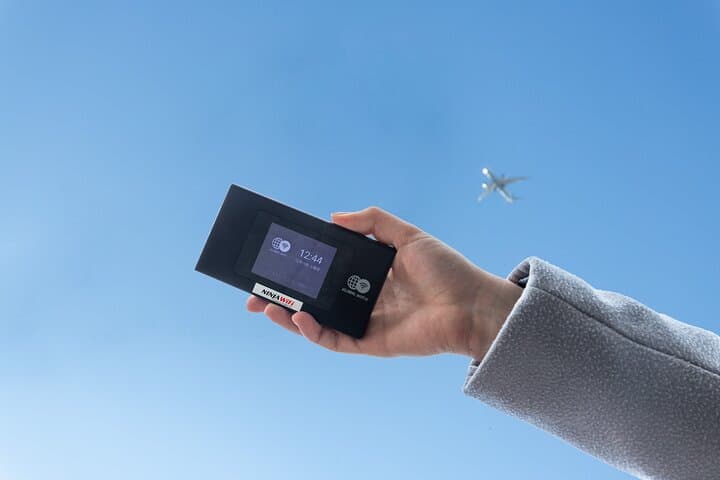
¡NINJA WiFi ofrece datos ilimitados, incluidos 3 GB por día de Internet de alta velocidad! ¡Reserve ahora y se incluirá el alquiler de un banco de energía (batería móvil) GRATIS! El uso de las líneas de Internet de Softbank significa que puede mantenerse conectado no solo en las grandes ciudades, sino incluso en el campo. Nunca se preocupe por perderse o perderse un mensaje importante de amigos o familiares mientras viaja.
Opciones de la excursión
Lo más destacado
Qué incluye
Valoraciones de viajeros
Información importante
- Accesible para silla de ruedas
- Los bebés y los niños pequeños pueden ir en un cochecito o en una silla de paseo
- Hay opciones de transporte público disponibles en las cercanías
- Las opciones de transporte son accesibles para sillas de ruedas
- Todas las áreas y superficies son accesibles para sillas de ruedas
- Adecuado para todos los niveles de aptitud física
- Los datos de alta velocidad están limitados a 3 GB por día.
- No se realizarán reembolsos por no recoger el router WiFi.
- Los mostradores de recogida y devolución se encuentran fuera de la seguridad del aeropuerto.
Opiniones(24)
Great, but the family needs to stick together if they want to use the WiFi, which turned out a bit tricky sometimes. So I suggest two would be better. Also need charging fully every night, each element.
This is excellent! Great wifi and customer service! Me and my wife used it for 5 days and the plus you can charge your phone when you outside!
Beware! I loyally rented many times in the past, but the current situation has caused me to change my mind to find another WiFi provider on my next trip. I planned to pickup my device at Narita Airport JAL counter and the line was so long with about 30 groups in front of me. After standing for an hour, I was about to miss my ticketed train so I left without picking up the device and had to quickly figure out my WiFi plans. I explained this situation and requested a refund but Ninja wifi refused. Alternatively, they would send a device 2 days later with a delivery fee. I realize the congestion is with the JAL counter. However, a wait of over an hour to pick up a WiFi device is more than unacceptable when you are traveling and on a schedule.
Don't use them. They added insurance plan which I hadn't ordered. I wrote to them repeatedly to cancel- no replies. They eventually replied, but won't reimburse a service i didn't ask for and am not using.
I can't recommend their service. Bought online a 15-days unlimited SIM card a few days prior to my trip. I picked it up at their stand at Haneda airport, no problem so far. A few hours later, at the hotel, I try to set it up in my phone. I followed the instructions religiously and reread them multiple times to make sure I hadn't missed anything. I removed the SIM card and put it back in multiple times, rebooted my phone multiple times, tried both APN passwords (the one it was supposed to be and the other "default" one in the instructions leaflet), ... I must have spent an hour trying different things, but nothing did it. My mistake was trying to set it up at the hotel instead of at the airport, where I may be could've had support, or a new one. I stayed 2 weeks in Japan and in the end, the hotel wifi and the random free wifi in Tokyo, Hakone, Osaka, Kyoto, Nara or close to drugstores and coffee shops was good enough. It's a little bit inconvenient when you want to find well-reviewed restaurants nearby or translate something on the fly, but it's just that: a minor inconvenience. When I go back to Japan eventually, if I plan to stay in big or touristy cities, I won't look for an Internet plan of some sort. Don't need it enough. It just sucks I had to pay 70 CAD to learn this lesson.
I would use any other service after my experience. Incredibly difficult to find since their kiosk and even products are not branded Ninja WiFi but as global wifi. So I spent probably an hour looking for a kiosk that didn’t exist. When I had to ship it back to them they had advised me to commit mail and customs fraud by devaluing the products when declaring them in the package to avoid taxes.(a felony). Then when asked what the UNcode( identifies the type of lithium battery) they were completely unhelpful. Not to mention when asked what the replacement fee was it went from ¥48000 to ¥81000 in a matter of two emails. Because they “forgot to add a fee” Customer service takes a full 24hrs to respond with each email. If you’re thinking of using ninja wifi consider just paying roaming fees with your carrier. I got the WiFi router to use for school while abroad and it performed much slower than my phone hotspot.
Pickup was seamless and the product worked right away. We had excellent connectivity while visiting the Disney parks in Tokyo. Looking forward to using it for the remainder of our trip and returning it seems easy.
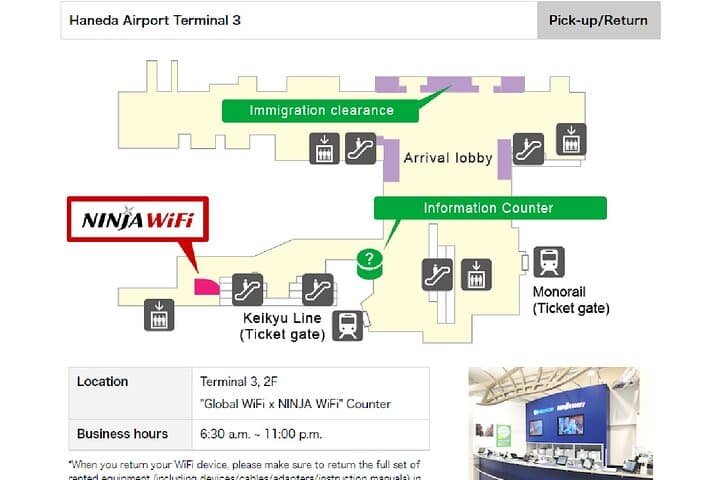
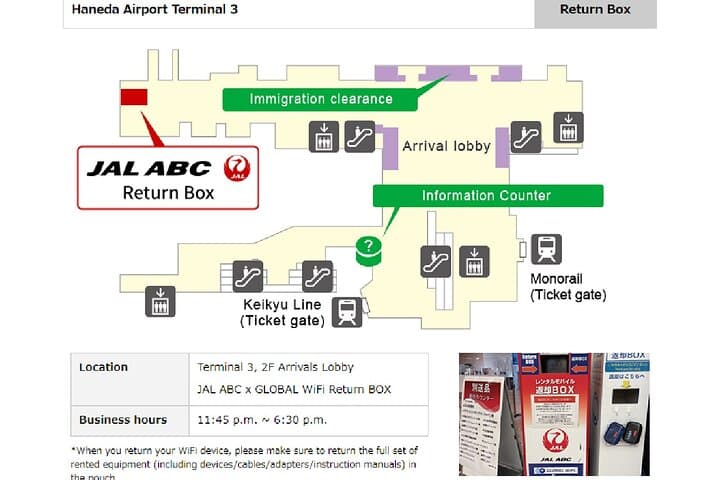
We reserved online for pickup @ Global WiFi Haneda Airport Terminal 3 when we arrived & it was very quick service for pickup. The clerks showed us how to load the password in to start the WiFi service. It is very convenient to have WiFi around Japan as getting around with a paper map can be more than a daunting chore with a lot of words in Japanese only. It is also convenient to drop-off the Ninja WiFi at any drop box all over the major airports in Japan. The drop boxes are located in and around the airports. (well marked) They give you directions in your pouch with the router box. It is well worth the investment if you visit Japan independently. Please note that our phones was locked by Verizon and this was the best alternative. Always check with your service provider to make sure you select the right option to obtain a portable router, physical Sim card or E-Sim card.
The wifi works well. Only problem is that the map of the location in the airport to drop off the device is incorrect. You drop it off at the same location as you pick it up.
Fast service. I just showed my reservation form and passport and got my WiFi right away and was provided instructions. We used the WiFi a lot and it is very reliable!